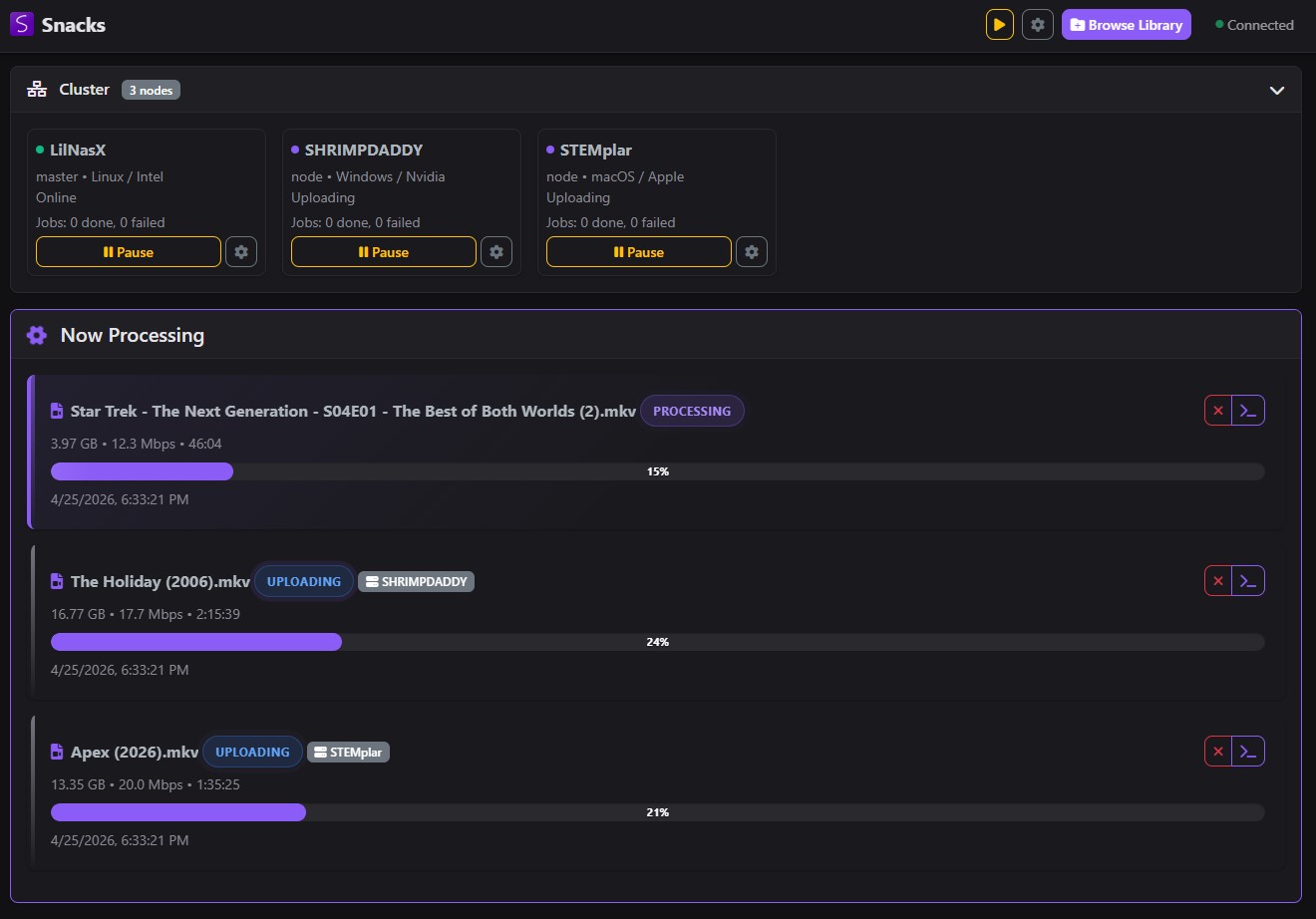
Clean, Modern Interface
A dark-mode web UI that works on desktop, tablet, and phone. Monitor encoding from anywhere on your network.
Batch transcode your entire video library with hardware acceleration. Distribute encoding across multiple machines on your network. Runs on your NAS via Docker or locally on Windows — no config headaches, no babysitting.
docker pull derekshreds/snacks-docker:latest
Snacks handles the hard parts of video transcoding so you can set it and forget it.
Full support for NVIDIA NVENC, Intel QSV, AMD AMF, and Apple VideoToolbox. Encode at GPU speed — not days of CPU crawling.
Automatically skips files that already meet your quality targets. No wasted time re-encoding what's already good.
Strips problematic subtitles and falls back to software encoding on hardware failures. Jobs finish, period.
Live encoding updates via WebSockets. Watch every file's progress from any device on your network.
Cluster multiple Snacks instances across your network. Automatic node discovery, intelligent job distribution, and fault-tolerant transfers.
Docker container for QNAP, Synology, and Unraid — or native Windows and macOS installers with everything bundled.
Watch directories for new files with configurable scan intervals. New media gets encoded automatically.
10-bit color support with p010 pixel format. 4K-aware bitrate scaling that never upscales above source quality.
Other tools make you do the work. Snacks does it for you.
| Feature | Snacks | Handbrake | Tdarr | FFmpeg CLI |
|---|---|---|---|---|
| Batch library processing | ✅ Built-in | ⚠️ Queue only | ✅ Yes | ⚠️ Scripting needed |
| Hardware acceleration | ✅ NVENC/QSV/AMF/VideoToolbox | ✅ Yes | ✅ Yes | ✅ Yes |
| Distributed encoding | ✅ Multi-node cluster | ❌ No | ⚠️ Limited/paid | ❌ No |
| Smart skip (already encoded) | ✅ Automatic | ❌ No | ✅ Yes | ❌ No |
| Auto retry & fallback | ✅ Subtitle strip + SW fallback | ❌ No | ⚠️ Limited | ❌ No |
| NAS Docker deployment | ✅ First-class | ❌ Desktop only | ✅ Yes | ⚠️ Manual |
| Windows desktop app | ✅ Bundled installer | ✅ Yes | ❌ Docker only | ⚠️ CLI only |
| Web UI | ✅ Modern dark UI | ⚠️ Desktop GUI | ✅ Yes | ❌ No |
| Real-time progress | ✅ WebSocket live | ✅ In-app | ✅ Yes | ❌ No |
| Setup complexity | ✅ Zero config | ✅ Easy | ⚠️ Complex | ❌ Expert-level |
| Price | ✅ Free & open source | ✅ Free | ⚠️ Freemium | ✅ Free |
Download the Windows installer or pull the Docker image. Everything is bundled — FFmpeg, .NET runtime, the works.
Tell Snacks where your video library lives. Set your quality target and preferred encoder. That's the entire config.
Snacks scans, filters, encodes, retries failures, and tags completed files. Come back to a smaller, better library.
A dark-mode web UI that works on desktop, tablet, and phone. Monitor encoding from anywhere on your network.
Free, open source, and zero bullshit. Download Snacks and reclaim your storage.
Running a NAS? Use Docker instead:
docker run -d \
  --name snacks \
  -p 6767:6767 \
  -v /path/to/videos:/app/work/uploads \
  -v /path/to/output:/app/work/output \
  -v /path/to/logs:/app/work/logs \
  --device /dev/dri:/dev/dri \
  derekshreds/snacks-docker:latest